Operations
Get the right people and plant on the right job, and capture the hours cleanly.
TimesheetsRosteringLeaveProjectsJob cards
Ordanta is an Australian-built operations platform for businesses that run crews, plant and projects. Timesheets, rostering, plant, procurement, safety and compliance sit in one system, replacing the spreadsheets and disconnected apps that crews, supervisors and the office juggle every week.
Modular by design. Turn on the parts you need, add more as you grow.
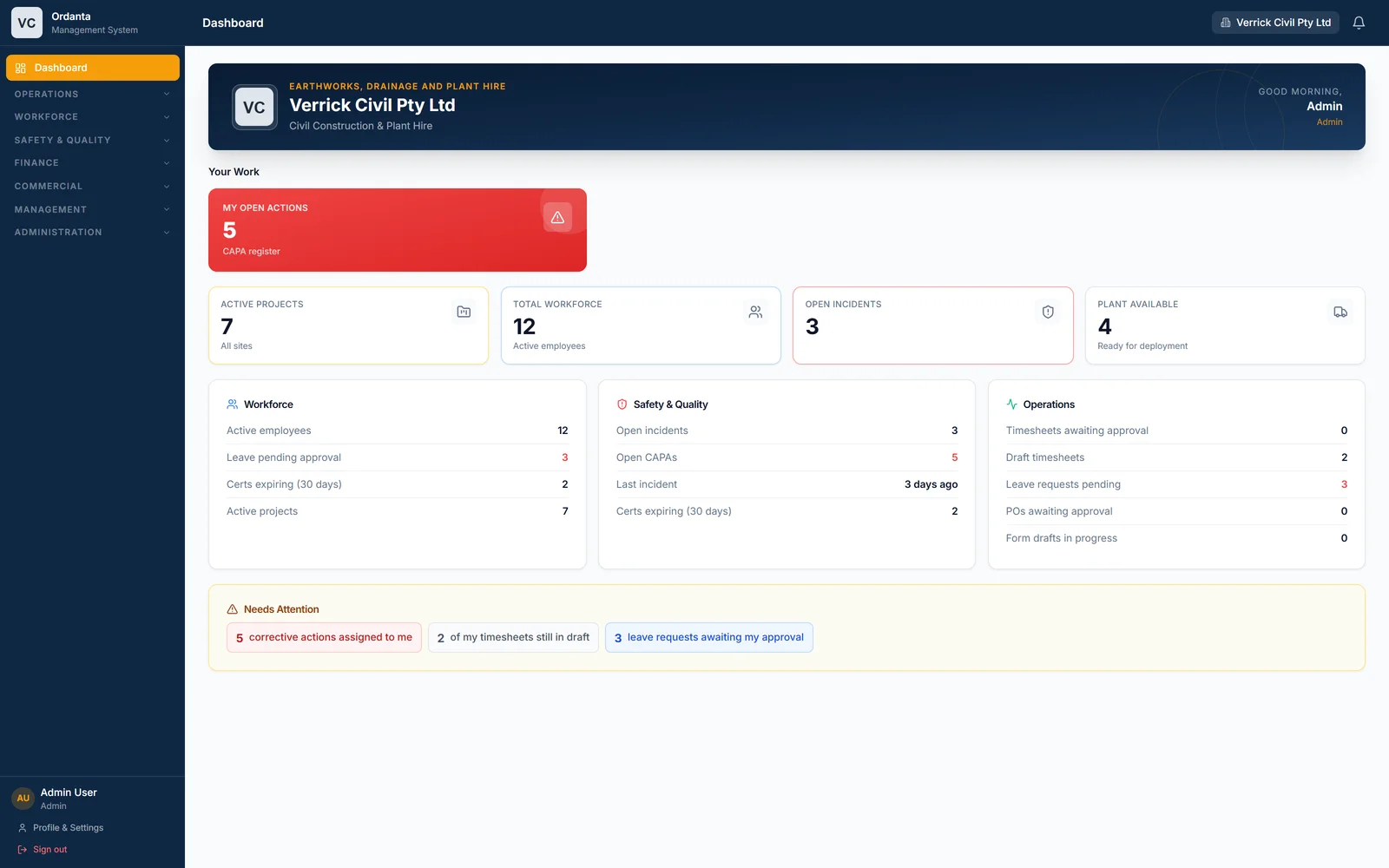
A shift on the roster becomes a timesheet, an approval, a pay line and an invoice line without re-keying.
Installs to a phone home screen. Crews sign timesheets, fill prestarts and log incidents where the work happens.
Segregated sign-offs on purchase orders, approval trails on every timesheet, and an audit log behind it all.
Start with the workflows that hurt most. Each module shares the same people, projects and plant, so adding the next one is a setting, not a migration.
Get the right people and plant on the right job, and capture the hours cleanly.
A live register of your fleet, its service status, meter readings and where it is today.
Purchase orders with proper sign-off, quote comparison, receipting caps and supplier invoice matching.
Incidents, corrective actions, digital forms and an always-current compliance register for your standards.
Employee records, structured onboarding, and every ticket and licence tracked with expiry alerts.
Rate catalogues that price quotes and POs consistently, pay runs from approved hours, and client invoicing.
Rostered shifts generate draft timesheets. Crews sign them on their phones. Supervisors approve. Approved hours feed pay and client invoices, with budget alerts along the way.
Drag people and plant onto projects. Rotation cycles and FIFO flights included. Conflicts with leave are flagged before they happen.
Generate the week’s timesheets from the roster. Day and night shifts, break deductions and plant hours are handled for you.
Workers sign with a digital signature or photo. Requirements are configurable per organisation.
Supervisors approve or reject by line or by sheet. Budget-hour alerts reach the project manager automatically.
Approved hours become pay-run lines and client invoices, priced from your rate catalogue.
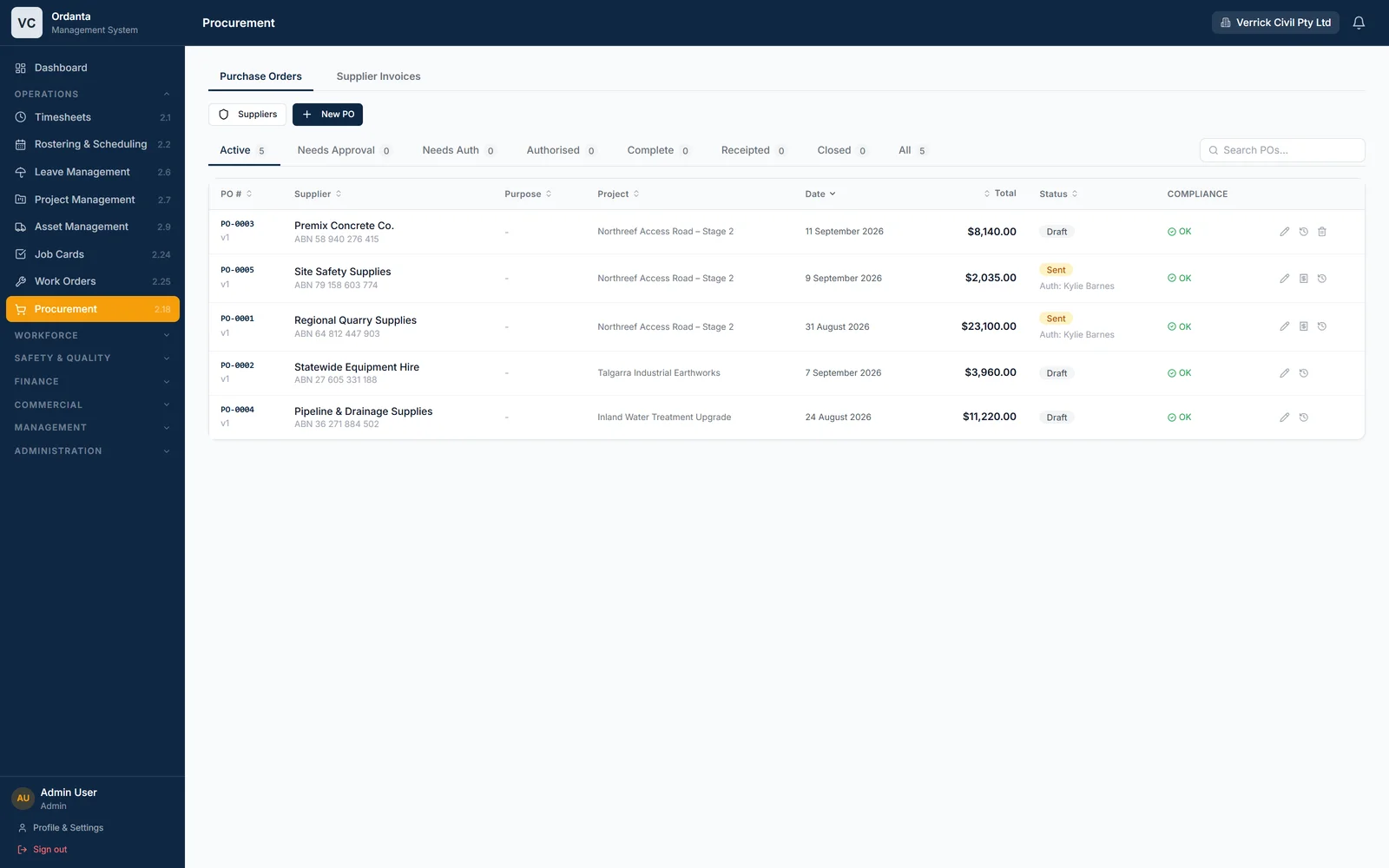
Ordanta separates who requests, who approves and who authorises. Minimum-quote rules, GST handling and receipting caps stop the usual leaks. When the supplier’s invoice arrives, upload it and let the platform do the reading.
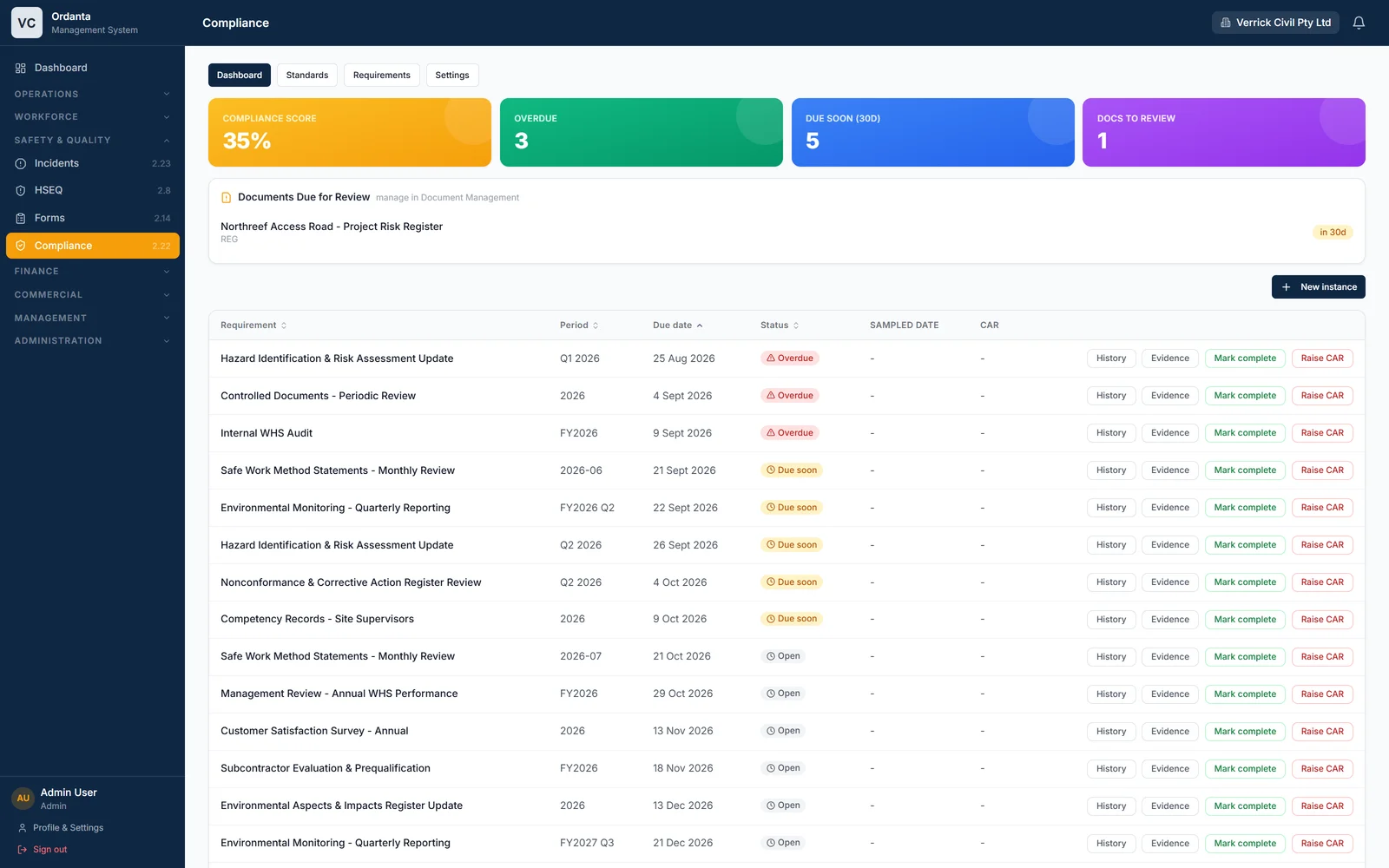
Log incidents and near misses from site, drive corrective actions to close-out, and run toolbox talks and inspections on digital forms you build yourself. The compliance register maps your standards to recurring requirements and the evidence behind each one.
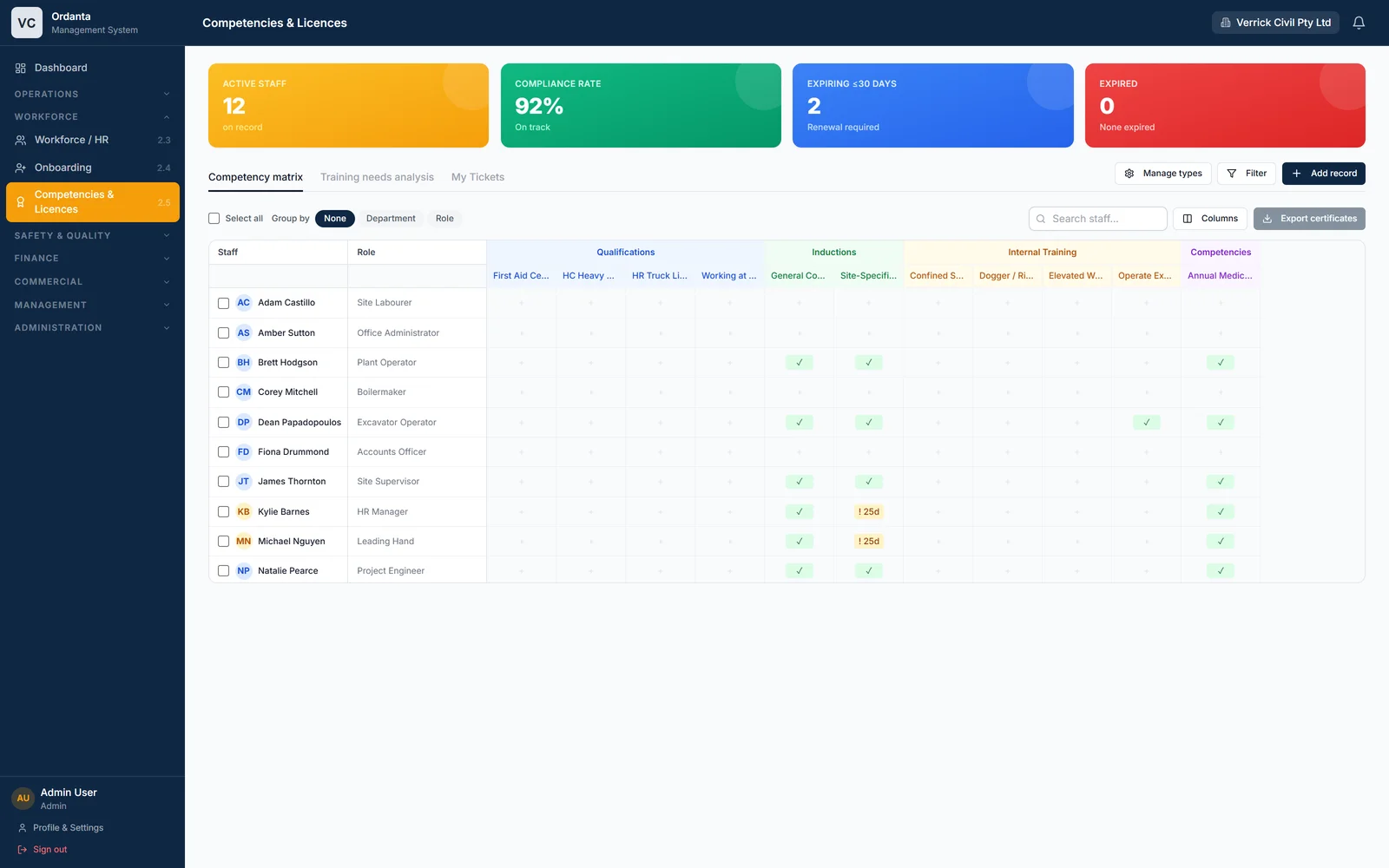
Every worker’s qualifications, inductions, internal training and medicals sit in one matrix, with expiry flagged well before it becomes a site-access problem. Certificates are stored against the record and exportable in a click.
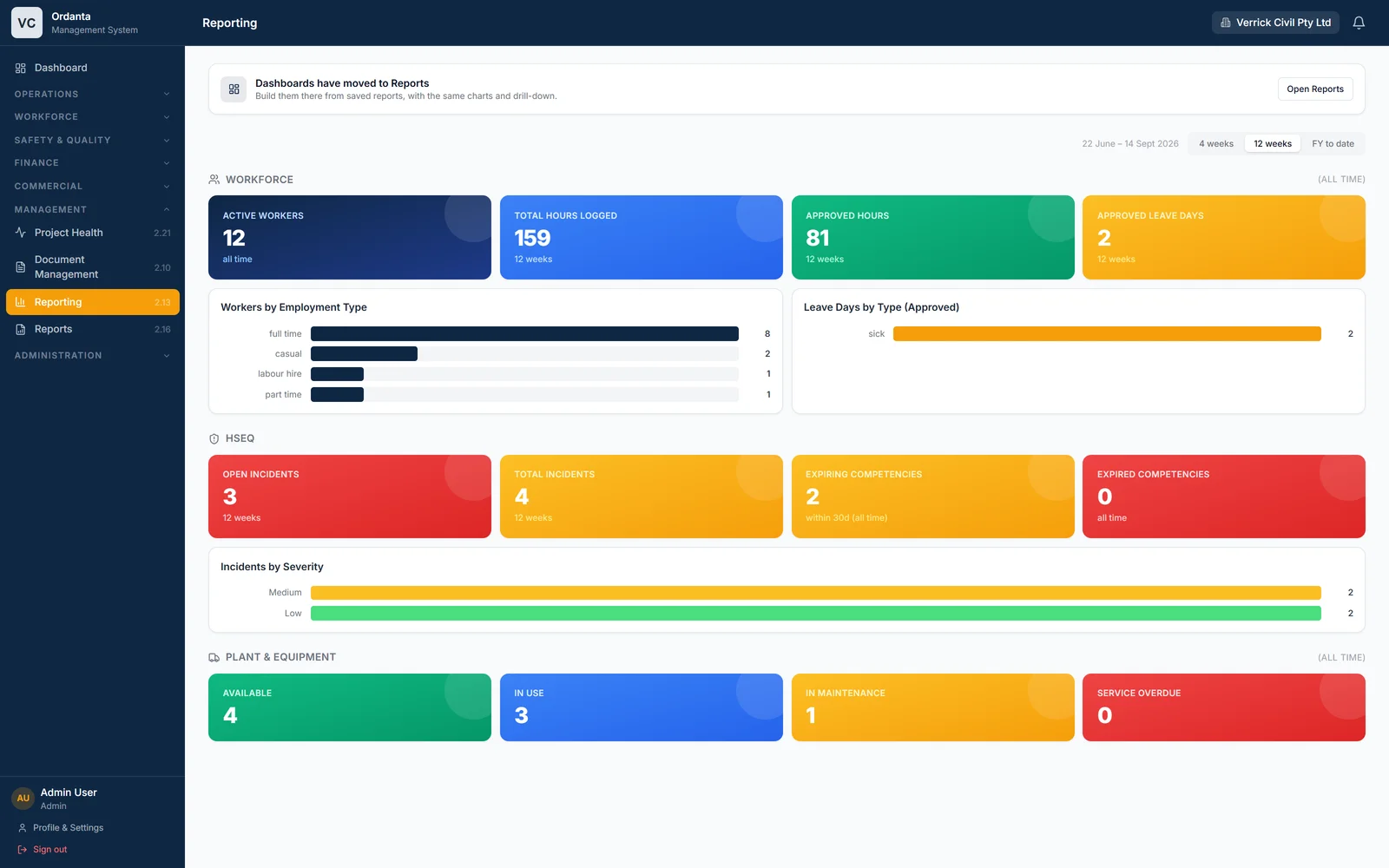
Because every module shares the same people, projects and plant, reporting is a view over live data rather than a spreadsheet someone assembles on Friday. Pick a window, see hours logged, approved leave, incidents by severity and fleet status, then build and save your own reports over any module.
Two-factor authentication is mandatory for supervisor and administrator accounts. Sessions can be revoked instantly. Every login, failure and lockout is logged for your administrators.
Hashed passwords, per-account lockout after repeated failures, and authenticator-app two-factor codes.
Role-based access per module. Field workers see their work, supervisors approve, administrators configure.
Timesheet, leave, procurement and compliance changes carry an audit trail. Stored credentials are encrypted at rest.
Book a walkthrough. We’ll set up the modules that matter to you and show how your crews, supervisors and office would use them day to day.